4DOF Robot Arm
What I Was Building
After the balancing robot, I wanted a completely different challenge. A 4DOF robot arm: a base that rotates, an elbow that lifts, a wrist, and a gripper. The goal was to control it manually with a PS5 controller, then teach it a sequence of positions it could replay on its own — like picking up a block and moving it to the same spot over and over. Is that useful? Probably not with only 4DOF, but I'll definitely learn a lot in the process
New Mechanical Territory
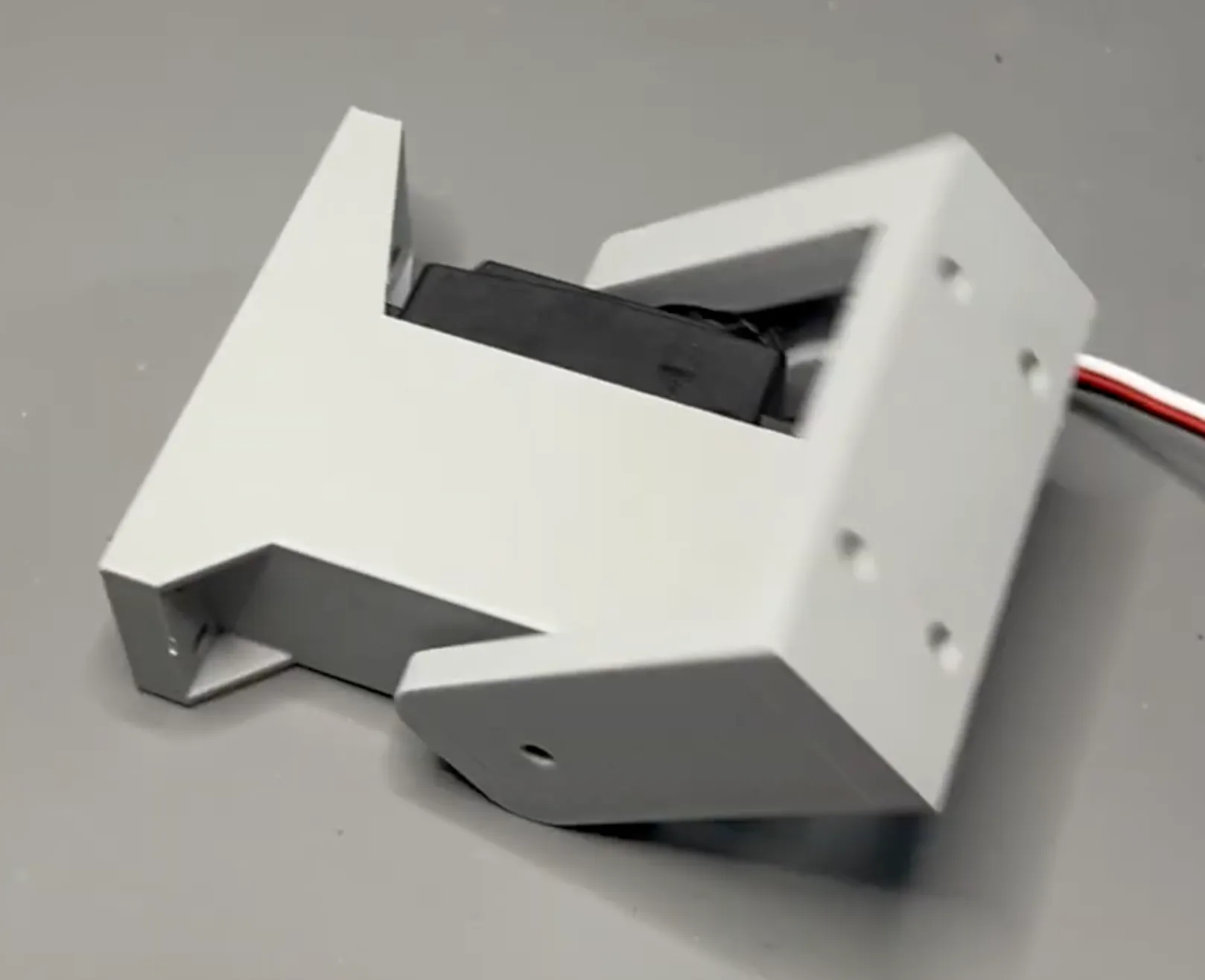
This pushed my 3D printing and CAD further than anything I'd done before. The balancing bot was a big solid chassis. This arm had moving parts that had to work together — gears meshing, joints bearing real loads, motors integrated directly into the structure.
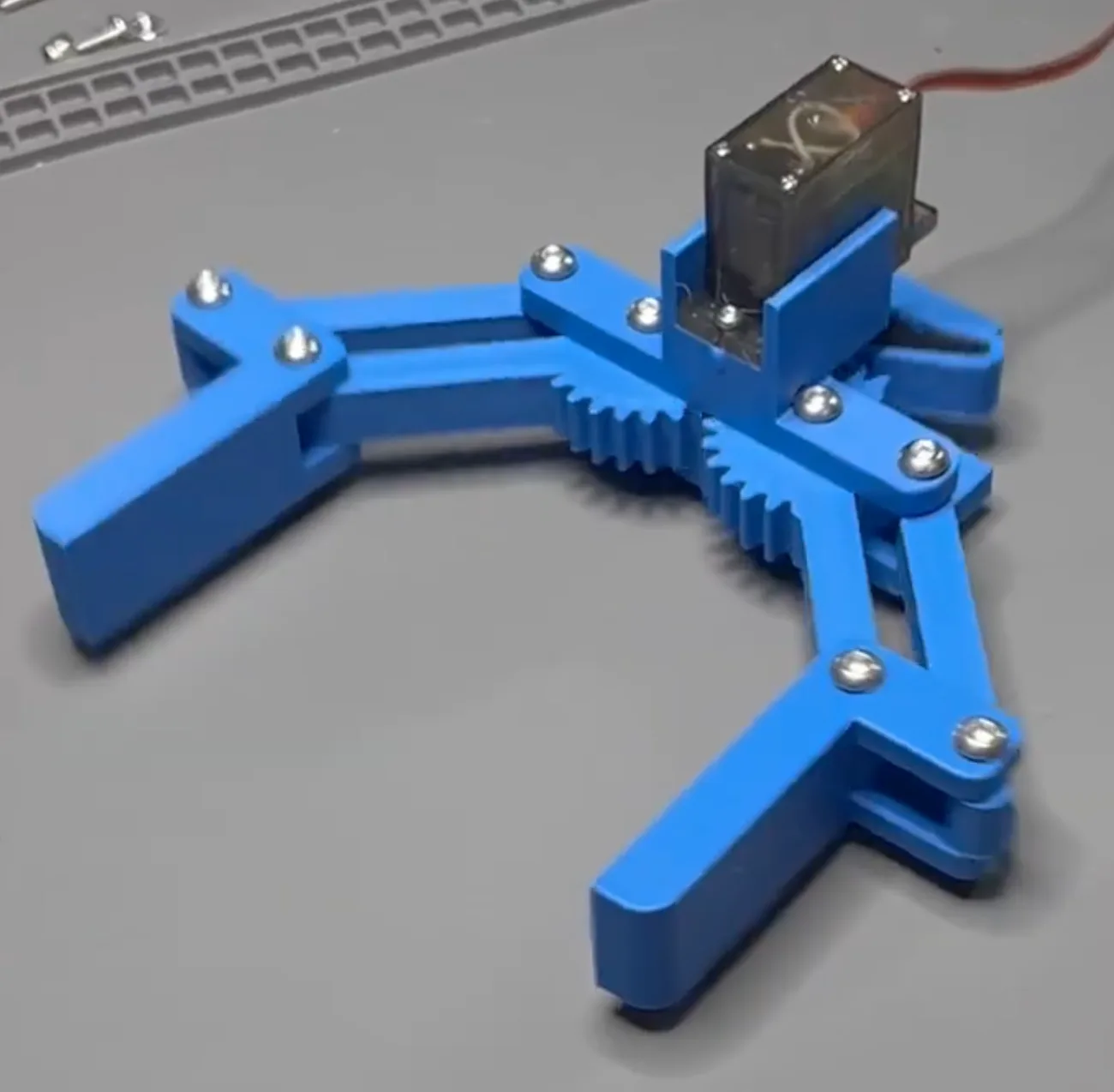
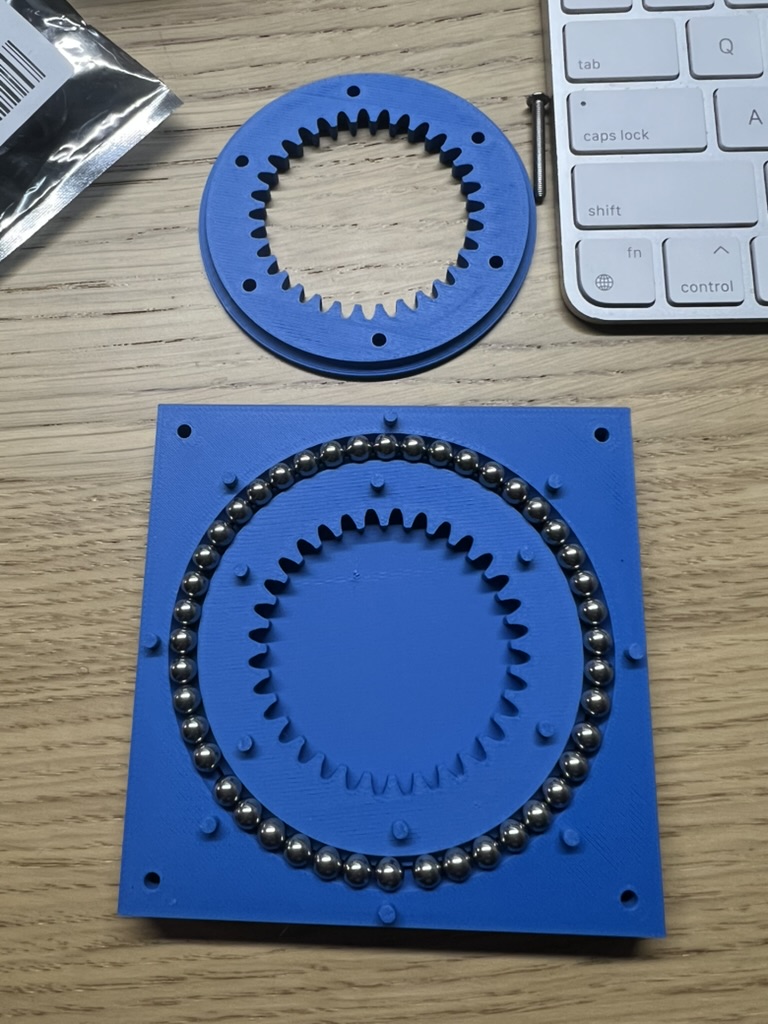
The gripper and elbow joints were my first time designing functional gear-driven mechanisms from scratch. But the part I'm most proud of is the slewing ring bearing I built for the base rotation. It's a 3D printed turntable with a ring of steel ball bearings sandwiched inside — smooth, load-bearing rotation with no off-the-shelf hardware. A stepper motor drives it through a gear.
Motors: Two New Types at Once
This project covered two more stops on my motor progression:
Servos — I used MG90s servos for the wrist and gripper, and a beefier DS3218 "20kg" servo for the elbow joint. Servos are refreshingly simple: send a signal, they go to a position and hold it. A PCA9685 board let me control all of them over I2C from a single connection.
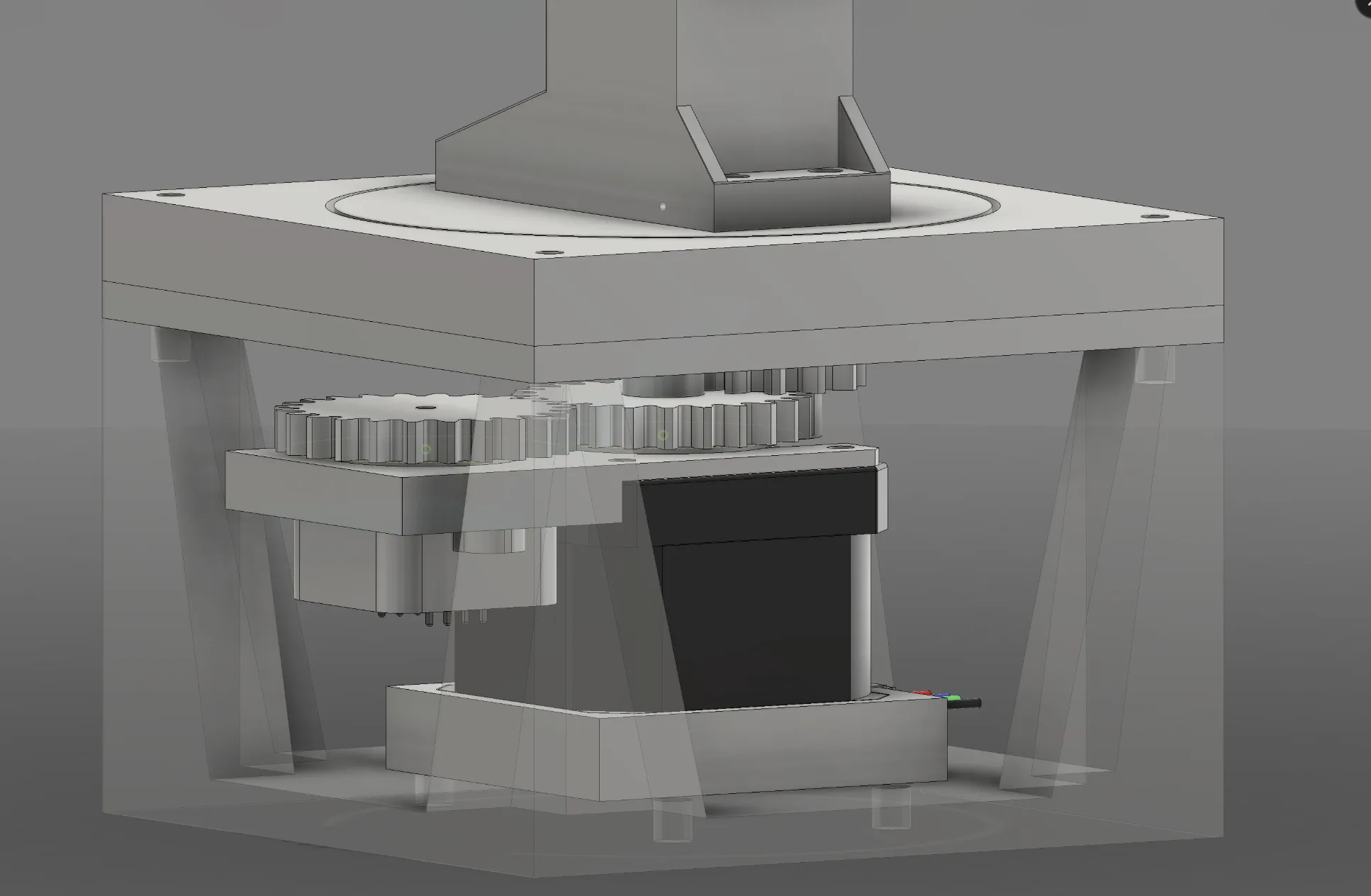
Stepper motors — A NEMA17 with a TMC2209 driver handles the base rotation. Steppers give you precise positional control by counting steps, but they have no built-in way to know their absolute position after power-off. That created an interesting problem.
The Position Tracking Problem
The servos know where they are — absolute position is built in. The stepper doesn't. If I want the arm to replay a recorded sequence reliably, I need to know exactly where the base is pointing every time.
My solution: I designed a small 1:1 gear module that captures the stepper's rotation and transfers it to an off-axis shaft holding a small magnet. An AS5600 magnetic encoder reads that magnet's angle. Gear ratio of 1:1 means the encoder angle maps directly to the stepper's rotation — no math, no guessing. Now the arm knows exactly where it is.
Software: ROS2 on a Raspberry Pi 5
I stepped up from an ESP32 to a Raspberry Pi 5 running ROS2. This was my first time using ROS2, and writing in Python instead of C++ was a nice change of pace. More importantly, ROS2's architecture — where modules publish and subscribe to messages — made the code feel clean and composable in a way that breadboard firmware rarely does.
The PS5 controller moves the arm in real time. Pull the trigger to record a position. When you're done, hit play and it executes the sequence on loop. To pick up a block and move it across the table repeatedly, you just record: reach down, grip, lift, rotate, lower, release — and it runs that forever.
It Worked — With Caveats
The pick-and-place routine ran great. The cheap servos have some backlash, so precision is fairly limited, but for moving a block from A to B it didn't matter. The bigger constraint was just 4DOF itself — there are only so many positions and orientations the arm can reach. You have to be thoughtful about the order you record steps, and some moves just aren't possible.
Both of those are things I want to fix next time: better servos with less slop, and more degrees of freedom. But the mission was accomplished -- I shipped a working arm with a neat feature, learned a stack of new skills, and walked away with a pretty good sense of what I'd improve on next time.
What I Learned
- Designing functional gear systems and load-bearing joints in CAD
- How to build a slewing ring bearing from printed parts and loose ball bearings
- Servo motor control via I2C (PCA9685)
- Stepper motor control with a TMC2209 driver
- Absolute position sensing with the AS5600 magnetic encoder
- ROS2 fundamentals and message-passing architecture
What's Next
Follow along on YouTube to see where this goes.